How to use Claude for work
· Tool guide
Claude can help draft proposals, compare supplied documents and organise analysis. The useful starting point is a well-defined task with approved reference material and a person responsible for checking the result.
Worked example: a fictional proposal brief. Screens and account capabilities change, so check the linked docs.
Plans checked 24 October 2026: Claude has a free plan. Pro is $17 a month billed annually ($20 billed monthly). Check Claude's pricing page before buying, as prices change.
If you are scoping a new product instead, use Claude for your first product.
1. Define the job and its boundaries
Choose a recurring document with a clear standard. For a small service business, that might be a proposal based on an approved service description and a discovery-call brief.
Gather the current service details, agreed pricing rules, a proposal outline and a short tone guide. Remove unnecessary personal information and check that you are authorised to share the material with the service. Mark documents with dates so old terms are not mistaken for current ones.
Before adding client information, review the terms for your exact account. Anthropic's commercial products have different data arrangements from consumer products. Its commercial policy says inputs and outputs are not used for model training by default, with exceptions such as submitted feedback or explicit permission. This is separate from how long data is stored.
2. Put reusable context in the right place
Projects can hold instructions and reference material. Anthropic is rolling out a new Projects experience in stages; account capabilities and collaboration settings vary. Check the current documentation rather than relying on a particular screen layout or assuming every colleague can see the same files.
Set instructions such as:
You help draft proposals for our service business. Use only the approved service and pricing documents supplied. Do not invent deadlines, guarantees, discounts or customer requirements. Identify conflicting sources and ask which is current. Put missing information under “Questions before sending”. Use UK English and a concise, factual tone.
Keep reference material small enough to maintain. Having more files does not guarantee the right passage will be retrieved or used accurately.
3. Draft from one specific brief
Use a fictional or appropriately authorised brief for your first trial:
Draft a proposal outline for the attached discovery brief. Use our approved template. Separate the customer's stated needs from our assumptions. Include scope, exclusions, delivery stages and questions. Leave price and dates as placeholders unless the approved sources and brief establish them. Cite the source document and relevant section for each commitment.
An acceptable draft might say “Delivery date: to be agreed” when the brief provides no date. A polished statement promising delivery next Friday is an error, even if it sounds helpful.
Compare the draft with the source documents. Check the customer's name, quantities, exclusions, responsibilities, dates and every commercial term. Open references rather than treating a citation as proof.
4. Measure editing as part of the task
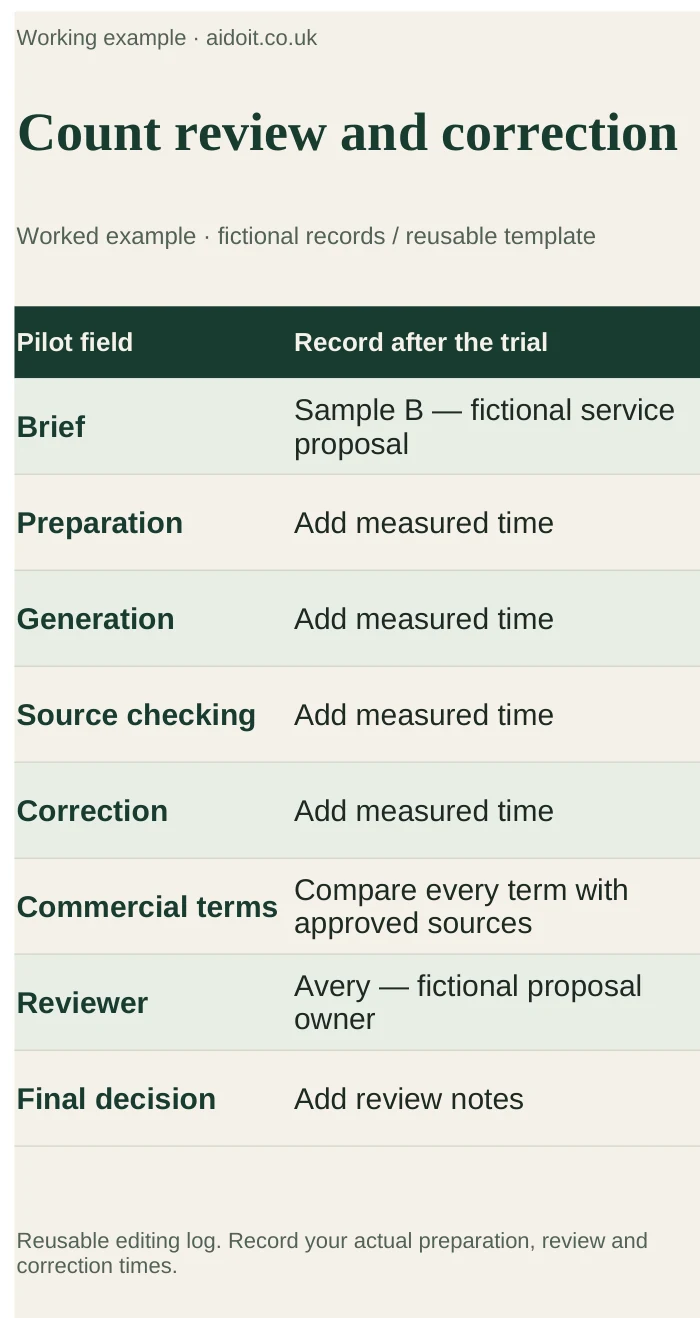
For a small pilot, use several representative briefs, including an incomplete one and one with conflicting notes. Record preparation, generation, checking and correction time. Count invented claims and missing requirements. Judge the final document against the standard you use for manual work.
Store a corrected prompt when it solves a recurring issue, but do not assume it will prevent every future error. Recheck important commitments each time. Keep final approvals and the authoritative document in your normal business system.
5. Treat agents as a separate implementation decision
An agent can call tools and take steps, rather than only produce text. A reliable automated proposal process needs permissions, a defined source of truth, failure handling, logs and a review point before sending or changing commercial terms.
The Agent SDK is one development route; a saved Project brief is not a complete specification for that system. First make the reviewed drafting process useful. Only then assess whether integration work would save enough to justify its cost.
What to watch for
Test for an old price document overriding a new one, omitted exclusions and confident answers where the brief is incomplete. Keep these awkward inputs in your trial and reject drafts that fill commercial gaps without evidence.
Verdict and next step
Claude is worth investigating for repeatable work with clear reference material and human review. Run one proposal through the process, record the editing required and decide whether it helps. Use the AI tool selection framework if you need to compare it with tools you already own.