Choose AI tools for a useful business workflow
· Tool guide
The useful question when choosing an AI tool is: which repeated task can it improve, at an acceptable cost and with work you can check? Start with that task before comparing subscriptions.
Worked example: a hypothetical proposal pilot. Features and plan limits change, so check the linked docs.
For an idea-stage business, start with the startup guide; the examples here assume you already have some recurring work.
1. Map the work before choosing a platform
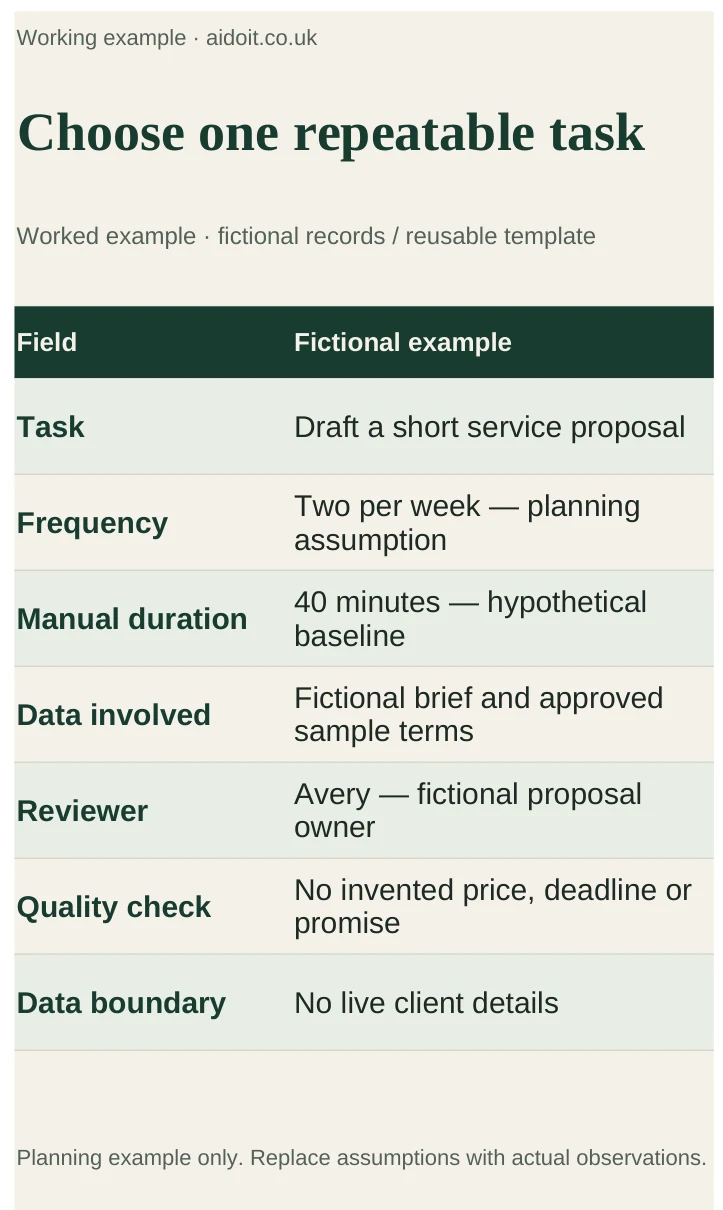
List the tasks repeated each week and record their frequency, typical duration, review requirements and data involved. A proposal draft might be suitable for a first pilot; an unreviewed decision about a customer's finances is a very different use case.
Pick a task with a clear input and a result someone can assess. Define success as a combination of useful output, acceptable errors and time saved after review. Faster generation is not useful if correction takes longer than the original task.
2. Shortlist around the task and existing tools
| Starting point | Tool to investigate | What to test | What to check first |
|---|---|---|---|
| Your team works in Gmail and Docs | Gemini in Google Workspace | Drafting and summarising within existing documents and threads | Edition, feature availability and administrator settings |
| Your team works in Outlook, Word and Teams | Microsoft Copilot | A document or meeting workflow within Microsoft 365 | Eligible base subscription, Copilot entitlement and meeting policies |
| You need a reusable brief for document-heavy work | Claude | Drafting and analysis using supplied reference material | Account terms, source handling and which Projects experience you have |
| You want help structuring an idea or general drafting | ChatGPT | Turning a brief into questions, options or a checked draft | Suitable plan, data controls and verification of generated claims |
Using the tools you already pay for can reduce setup work, but it does not eliminate training or review. Test the same representative task where practical rather than relying on general claims about the strongest model.
3. Run a small, measurable pilot
For an illustrative proposal-drafting pilot, select five past briefs that can be used appropriately. Remove unnecessary client identifiers and keep the accepted final proposal as a reference. Give the AI the same approved service information each time.
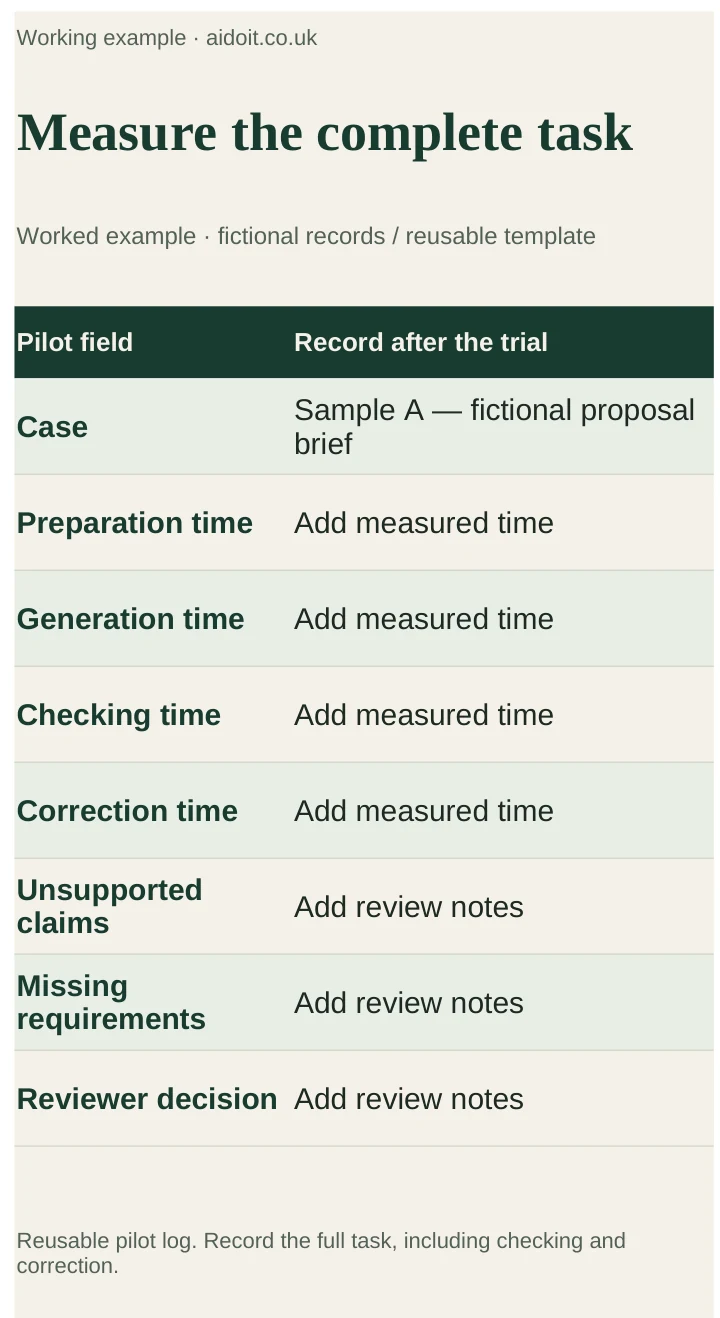
Record time spent preparing the prompt, generating the draft, checking facts and correcting it. Count unsupported claims, missing requirements and changes to prices or terms. Have the person responsible for proposals decide whether each output meets the same standard as the manual process.
If a manual draft takes 40 minutes and AI preparation plus editing takes 25 minutes, the saving for that example is 15 minutes. That is arithmetic for a hypothetical case, not a measured result. Multiply only by tasks you genuinely expect to repeat.
4. Distinguish an assistant from an agent
An assistant can draft a response for you to check. An agent can use tools to take steps, such as reading records or updating a system. It needs defined access, stop conditions, error handling and an audit trail.
Saved instructions and reference files can improve consistency. They do not by themselves establish an unattended workflow. Anthropic is changing Projects through a staged rollout, so verify your actual account's capabilities rather than assuming that every Project has the same execution features.
Automate only after the manual AI-assisted process works. Begin with a reversible internal task, such as producing a draft or review queue, before allowing messages or important records to change automatically.
5. Check training, storage and permissions separately
“Not used to train models” does not mean “not stored”. Providers can retain chats, activity history, files or logs, and retention depends on the product, contract, configuration and exceptions. Microsoft explicitly documents stored Copilot interactions and retention controls. Anthropic's commercial training policy also describes feedback exceptions. OpenAI describes retention controls for qualifying organisations.
Check the exact business product you are buying, who can access its content, which connected services receive data and how deletion works. A paid plan alone does not make every upload appropriate. Review access to shared folders before enabling AI to retrieve from them.
What to watch for
During your pilot, watch for attractive drafts that change a commercial term, summaries that omit caveats and time-saving calculations that exclude editing. Keep original inputs and measure the complete task.
Verdict and next step
Choose one workflow and pilot it with a named reviewer before buying widely. Continue with the relevant Claude guide, Workspace guide or Microsoft 365 guide. Review the result after two weeks and keep only workflows that meet your quality standard.