From AI prototype to live product: what to check
· Playbook
An AI-generated prototype can show what a product might do. A live product must also handle the cases the demonstration leaves out: the wrong person requesting a record, an interrupted payment, a failed email or a customer needing help.
Worked example: a fictional paid onboarding product. Check the linked guidance and verify each required behaviour before launch.
1. Separate real features from simulated ones
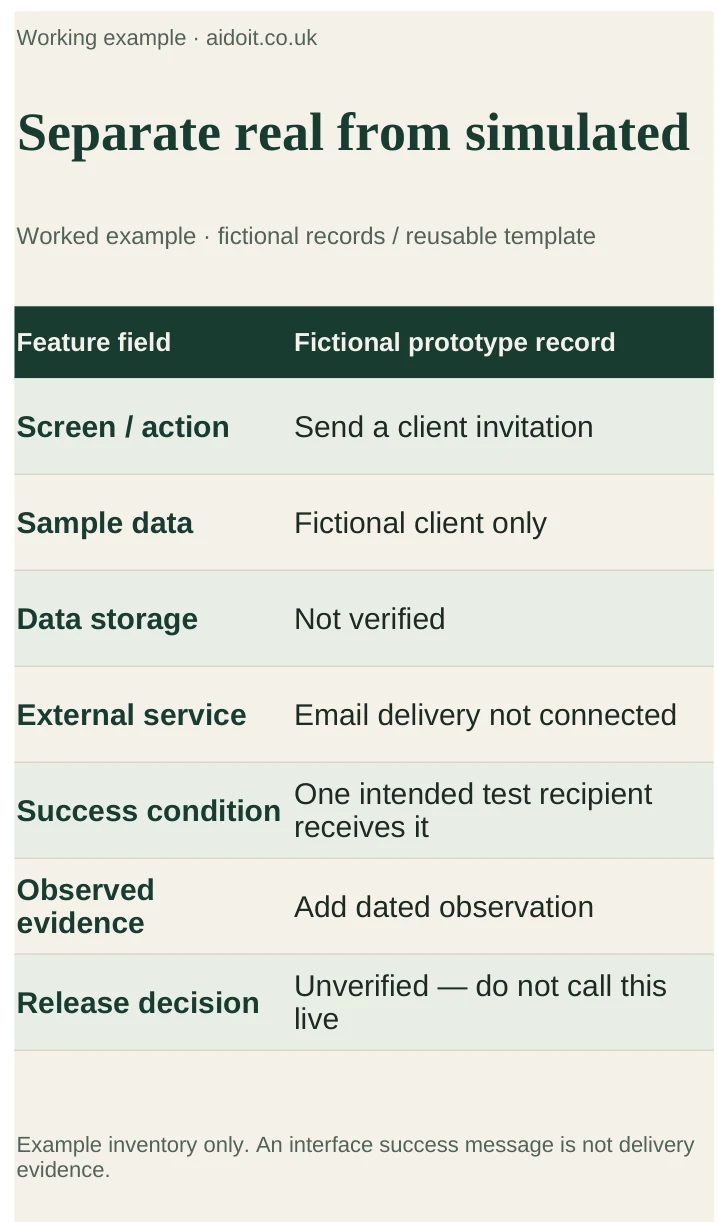
List every important screen and action. Mark whether it uses sample data, stores information, calls an external service or only changes what appears on screen.
For the example, a “Send invitation” button might show a success message without sending an email. A dashboard might display the same sample client for every user. Both can be useful in a prototype; neither should be mistaken for the intended live behaviour.
Ask the builder or AI assistant:
List every simulated behaviour, unfinished integration and assumption in this prototype. For each important user action, identify the input, storage, external service, success condition and failure state. Do not label a feature production-ready without evidence. Turn the list into checks a person can perform.
Review the answer against the code and the actual product with someone able to assess it. An AI-generated checklist can miss the same defect as the AI-generated implementation.
2. Test accounts and access with two users
Make a test environment using fictional information and separate test credentials. Create two ordinary users with different records. Check that one cannot view or change the other's information, including through direct URLs or requests rather than only through the visible menu.
Verify sign-in, sign-out, password recovery or the equivalent account process, expired sessions and relevant role restrictions. Permission checks must be enforced by the service that returns or changes the data. Hiding a button is not an access control.
Keep privileged keys on the server and out of public repositories and browser code. Confirm that production services, billing and recovery methods have named owners using the essential account guide.
3. Trace the personal data
Write down what you collect, why you need it, where it goes and who can access it. Include logs, email providers, analytics and AI services. Avoid collecting information just because a form template includes a field.
Make the privacy information describe the real system and identify appropriate retention and deletion processes. Check the applicable terms before sending customer material to an AI provider. Use fictional records for initial tests and do not copy live data into an unsecured test environment.
Check what happens when a user corrects or deletes information, and what remains in backups or operational logs. Tell users accurately what to expect rather than promising immediate deletion everywhere if the system cannot deliver it.
4. Test payment and delivery together
If the product charges money, use the provider's test mode before live transactions. Check a successful payment, a failed payment, a cancellation and a repeated notification. Repeated payment events should not create duplicate orders or repeated fulfilment.
Confirm that access or delivery follows a verified payment result from the provider, not simply a visitor arriving on a success page. Check the product, amount, currency and customer association. Confirm who can issue refunds and how a customer contacts you about a billing problem.
Use clear pilot terms if the product is an early version. Explain what is included, limitations and how support works. Before selling, check the legal and tax requirements for your customers and business model.
5. Verify failures, recovery and support
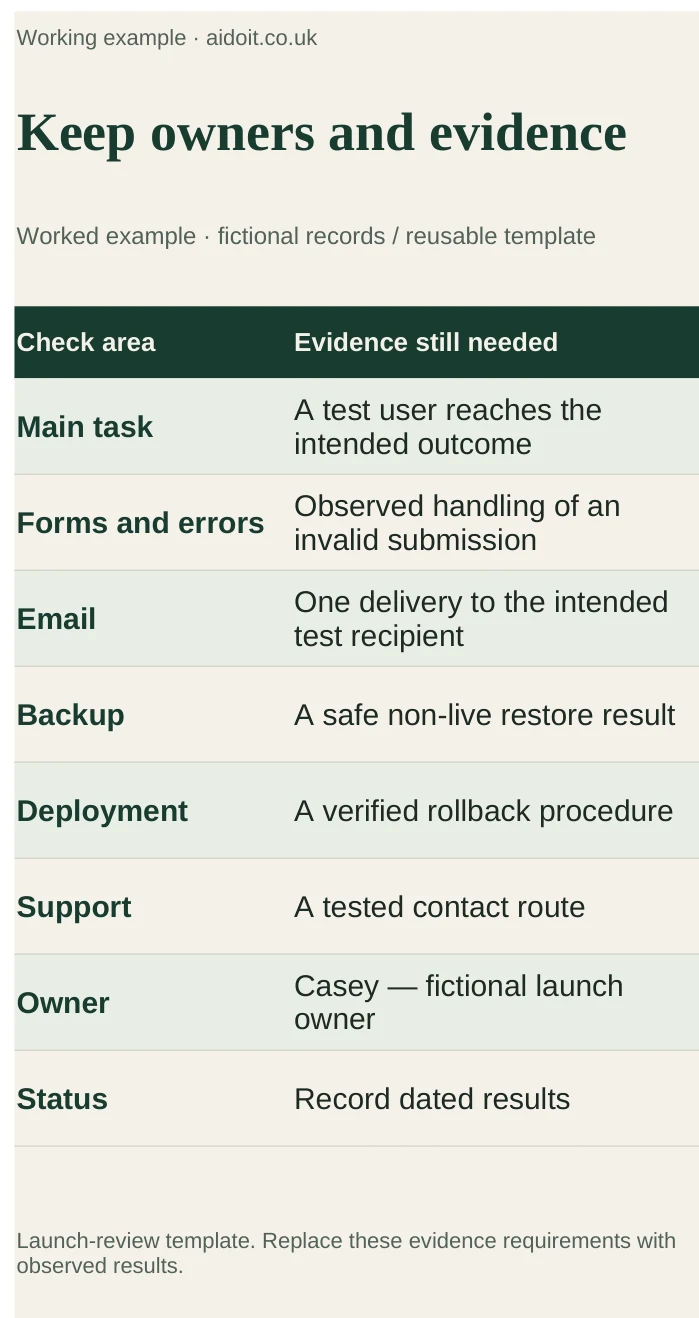
Use a launch review table with named owners. Record actual results rather than ticking boxes because a feature exists.
| Area | Check | Evidence to keep |
|---|---|---|
| Main task | A new user completes the intended outcome | Date, environment and observed result |
| Forms and errors | Invalid or interrupted submissions produce a useful response | Error message and confirmation that data is handled correctly |
| Emails | A test invitation reaches the right recipient once | Delivery result and destination |
| Backups | A backup can be restored into a safe test location | Restore date, result and missing steps |
| Deployment | A previous working version can be restored | Documented rollback process and responsible person |
| Support | A customer can report a problem and get a response | Tested contact route and agreed responsibility |
Test on a phone and desktop, including keyboard navigation, clear labels and readable errors. Check monitoring and usage limits. Decide who responds when the service fails and whether an alert actually stops spend or only sends a notification.
6. Launch to a small group you can support
Start with a clearly described pilot group after the necessary checks pass. Choose one outcome to observe, such as completing the first onboarding task, and arrange a review date. Keep a known-issues list and a way to pause invitations if something important fails.
Small numbers do not remove the need to protect data or handle payments correctly. If a failed check affects access control, data exposure or the ability to deliver what you sell, resolve it before inviting customers to depend on the product.
What to watch for
In your own review, watch for a success screen without a completed backend action, user data protected only by interface filtering, payment retries creating duplicates and backups that have never been restored. Ask for observed evidence, not a general assurance that the product works.
Verdict and next step
A prototype is ready for the next stage when the required behaviour has been checked and someone owns the remaining work. Use this guide alongside the startup launch checklist. If the scope is still too large, return to the Claude first-product guide and reduce it before launch.
Sources
- NCSC: Small organisations guide to cyber security — backups, account protection and operational basics.
- ICO: Guidance and resources for organisations — personal-data responsibilities.
- Stripe: Testing — use the equivalent official guidance for your chosen payment provider.