Set up the essential accounts for your first online business
· Playbook
Before your first online business depends on a website, make sure you control the accounts behind it. A domain registered to a contractor, a billing alert sent to an abandoned inbox or a lost recovery method can stop ordinary work at the wrong moment.
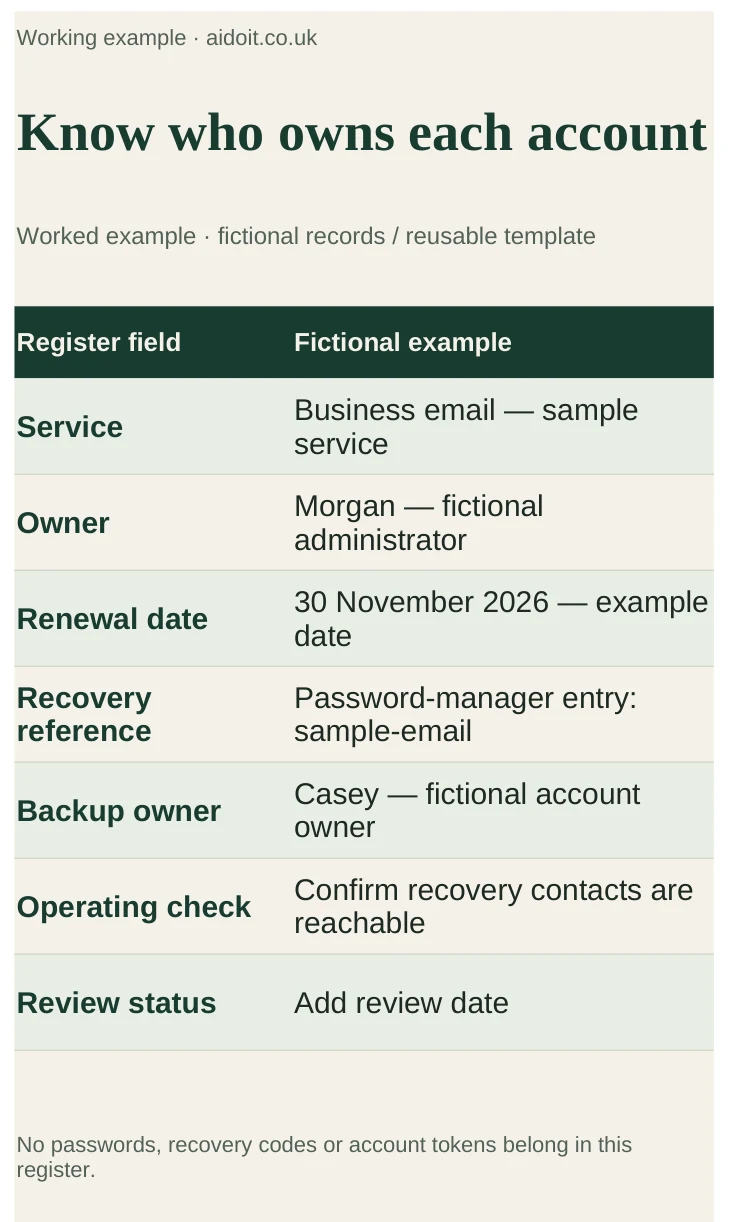
Worked example: an account register using test records. Provider controls change, so check the linked guidance.
1. Make an account register
Create a simple private document or spreadsheet. Store references to credentials in a password manager rather than putting passwords or recovery codes in the register itself.
| Service | Owner to record | Recovery and operating check |
|---|---|---|
| Domain registrar | Business-controlled account owner | Renewal date, payment method and reachable recovery contact |
| Business email | Named administrator | Multi-factor authentication and a recovery route independent of that inbox |
| Password manager | Responsible owner | Recovery process and suitable access for a trusted backup person where appropriate |
| Code repository | Business or founder-controlled organisation | Owner access, collaborator permissions and a usable copy of the code |
| Hosting and database | Named service owner | Billing alerts, production access and restore procedure |
| Payment provider, if needed | Authorised business representative | Verification, payout details and refund responsibilities |
| AI and other paid tools | Named subscription owner | Data settings, usage limits, renewal and cancellation details |
Add a review date and the reason each service exists. If it is not needed for your current test, postpone it rather than creating another subscription to maintain.
2. Establish domain and email ownership
Register the domain through an account you control. Check who owns it, how renewal works and which address receives notices. A developer can help configure it without becoming the only person able to renew or transfer it.
Set up business email and use provider-supported authentication instructions for the domain. Ask for SPF, DKIM and DMARC to be configured appropriately, and test delivery. Do not change unfamiliar DNS records without knowing which existing services depend on them.
Avoid circular recovery: an email account should not depend solely on receiving a code at the same inaccessible inbox. Follow the provider's supported recovery options and keep recovery information current.
3. Protect access without sharing one login
Use unique credentials stored in a password manager and enable multi-factor authentication or passkeys where supported. Keep recovery codes securely and separate from public documents and code.
Give collaborators individual accounts with the access they need. A person writing a blog usually does not need payment-provider ownership. Record how access will be removed when someone leaves. For a solo founder, document a suitable emergency recovery arrangement without leaving credentials in an unprotected file.
Test the recovery process to the extent the provider safely supports. Confirm that recovery contacts are reachable and that another appropriate owner can help where the service allows it. Do not deliberately lock yourself out of the only administrator account to test a plan.
4. Keep code, hosting and billing connected to the business
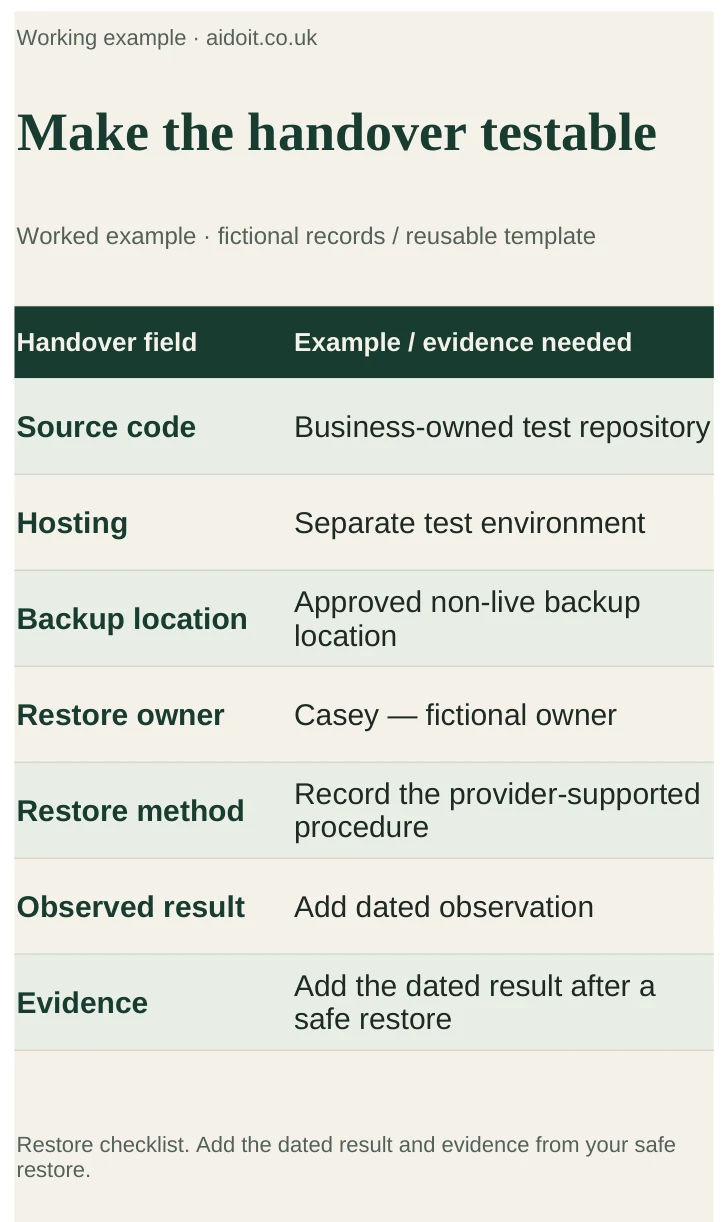
Use a repository you control and invite a developer as a collaborator. Ask for a brief handover explaining how the site is built, where it runs and how a previous version can be restored. Ownership of source code does not automatically give you access to the hosting or database; record each separately.
Keep test and live systems separate where practical. Store API keys and service credentials in the platform's supported secret settings, never in public code or a page sent to visitors. Ask which keys are public by design and which must remain server-side.
Set billing notifications and usage alerts to a monitored address. Check whether an alert merely tells you about spending or actually caps it. Keep a note of renewal dates and the consequences of cancellation. Use the launch-cost guide to estimate the complete monthly commitment.
5. Ask for a short handover and restore check
A useful handover should let you answer: where is the source, who can deploy, what data is stored, where are backups and who handles an incident? Ask someone responsible for the product to demonstrate a restore using non-live data where possible.
You can ask AI to turn your non-sensitive service list into an access checklist. Do not paste credentials into the prompt. Review its suggestions against each provider's actual recovery and ownership rules.
What to watch for
Watch for domain renewals tied to a former contractor, recovery emails pointing at inaccessible accounts, shared administrator logins and a backup that nobody can restore. Resolve ownership and recovery gaps before the product depends on those services.
Verdict and next step
The goal is a small set of necessary services that you can control, recover and hand over. Complete the account register, check the next renewal and close one access gap today. Then work through the accounts section of the startup launch checklist and the prototype-to-live guide before accepting real users.
Sources
- NCSC: Small organisations guide to cyber security — account protection, backups and practical security guidance.
- GOV.UK: Set up a business — responsibilities depend on your business structure.